
Unblock or Reset Password of ePass 2003 Token CSP Version 2.0
If you have CSP Version 2.0 ePass 2003 Token and the token is blocked then Forgot, Unblock or Reset Password the token using the following steps.For Forgot, Unblocking or Reset your ePass 2003 Token CSP Version 2.0 first check that you have ePass Token Version 2.0 or Version 1.0, This process will not on ePass Token Version 1.0.
If you purchase ePass 2003 Token after July 2018 and your token locked due to the wrong password then follow the following steps.
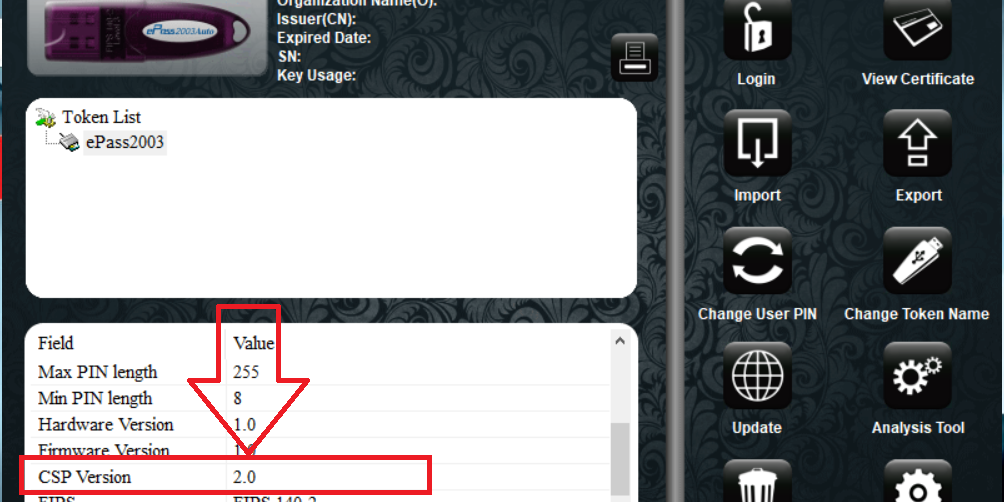
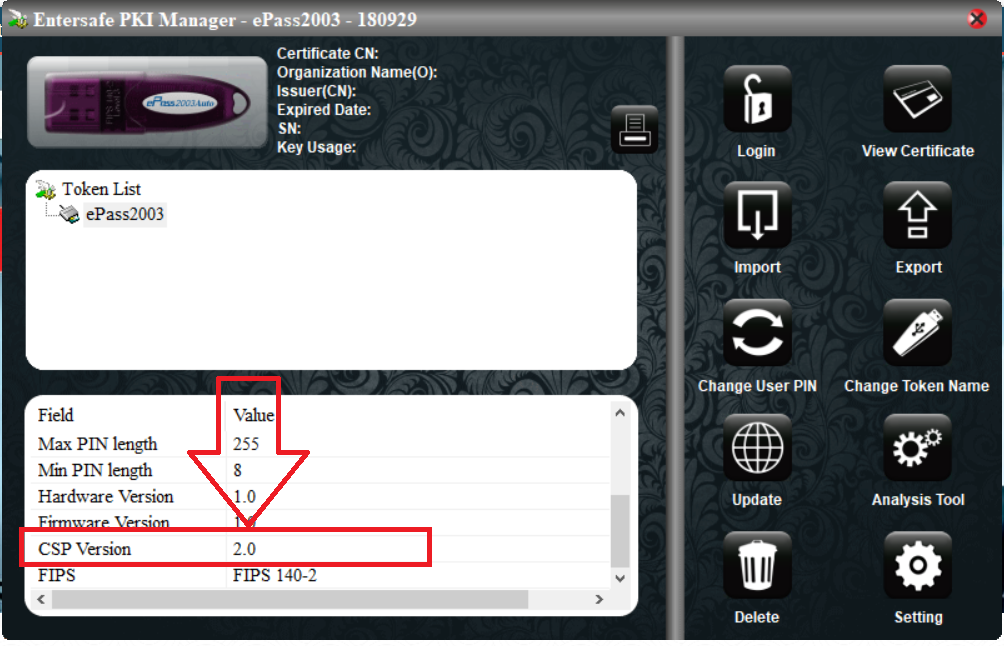
How to check epass 2003 CSP Version
Follow these steps to check epass 2003 CSP version type.
-
Insert token in your system
-
Click on my computer option and install Driver
-
Open token tools epass 2003 Token Manager
-
End of the token you can find Token Details
-
Scroll down page and find CSP option
-
Select CSP and Check your Version.
Download ePass 2003 CSP v2.0 Unblocking Software
Now Download Remote Unlock Client software for Unblocking you ePass 2003 Token CSP v2.0, download and unzip the software for using the software.
Download ePass 2003 Token CSP Version 2.0Epass 2003 CSP v2.0 unlock process
Extract the downloaded Remote Unblock Client application and open the RemoteUnlockClient.exe dialog Box showing as below.
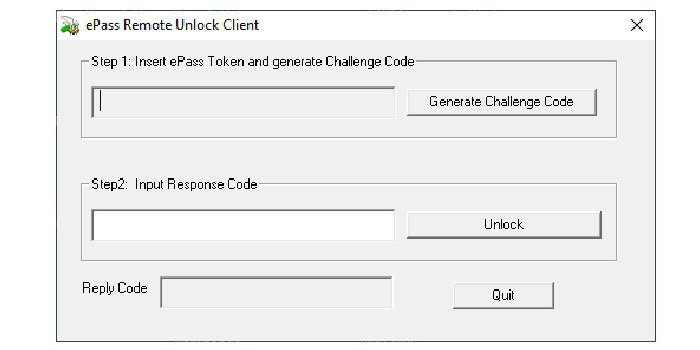
Connect the Token which you want to unblock and Click on Generate Challenge Code button.
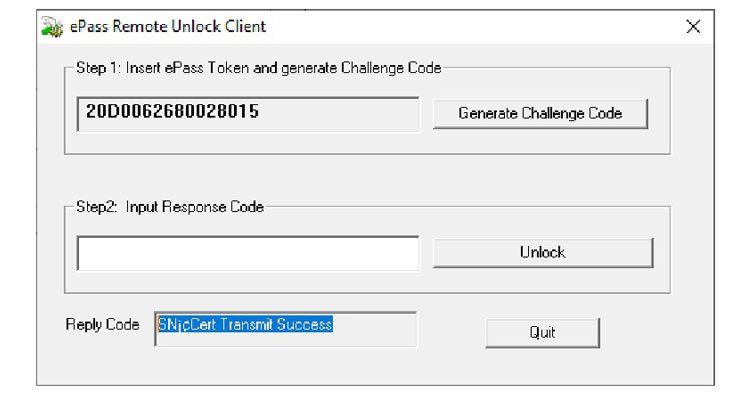
If you get Reply Code SN¡¢Cert Transmit Success, please check the eMail ID which is given in the DSC present in the token for Activation/Response Code. (Please refer last page of this document to know how to get/see eMail ID of DSC from blocked token.)
Activation/Response code is sent from email ID tokenunblock@charteredinfo.com
Enter the Received Activation code in text box present in Input Response Code and Click on Unlock Button.
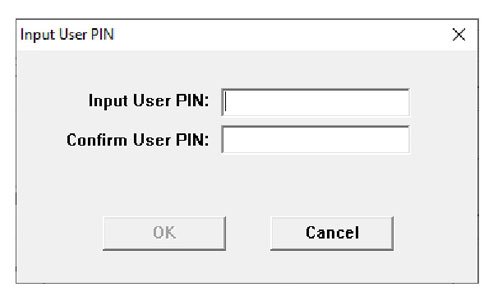
Enter the new Password which you Required and Confirm it.
Password should be 8-digit alphanumeric character.
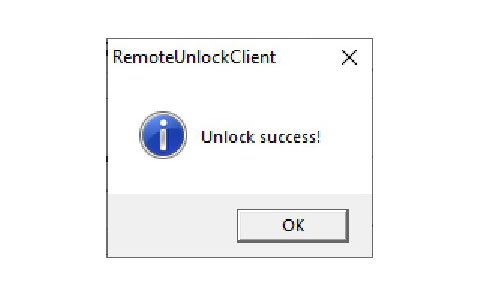
After successful unblock you will get the message Unlock success!
Click Here To Buy New Digital Signature Certificate from DIGITAL SIGNATURE MART
BUY DIGITAL SIGNATURE ONLINE Category: TechnologyBy dsm Share this post
Author: dsm
https://www.digitalsignaturemart.comRelated posts
 FIPS 140-2 DSC Tokens to be Discontinued
 Online Digital Signature Certificate: Why Digital Signature Mart is Best in Delhi
 How to Active in Business with Digital Signature During Covid 19
 What Is the Usage of Digital Signature certificate in ITR Filing?
 What is the Importance and Benefits of Class 3 Digital Signature Certificate ?
 Class 3 Digital Signature Certificate Use and How It Is Highly Secured